
If you’ve ever opened the custom report builder in HubSpot and felt that mix of excitement and friction, you’re not alone.
On paper, everything is there. Your CRM holds contacts, companies, deals, activities, and increasingly, data coming from multiple integrations. The promise is clear: a complete view of your business.
But in practice, answering even a simple question can feel harder than it should.
That’s the paradox most teams face today. Not a lack of data—but too much of it, structured in a way that only a few people truly understand.
And that’s exactly the problem HubSpot Datasets are designed to solve.
When reporting becomes a bottleneck
One of the most consistent patterns we see across growing teams is this: reporting starts simple, then gradually becomes a bottleneck.
At the beginning, a handful of properties and a couple of pipelines are enough. Reports are easy to build, easy to trust. But as the business evolves, so does the CRM. New properties are added, workflows enrich data, integrations bring in external signals, and different teams begin to rely on the system in different ways.
Over time, complexity doesn’t explode—it accumulates.
Until one day, building a report is no longer about answering a question. It becomes an exercise in understanding the data model and where the data lives.
This is something we explicitly discussed during the Super Admin Bootcamp: the custom report builder is powerful, but it requires a deep understanding of properties, relationships, and logic.
And that’s where most teams slow down.
What Datasets actually change
Datasets introduce a different way of thinking about reporting.
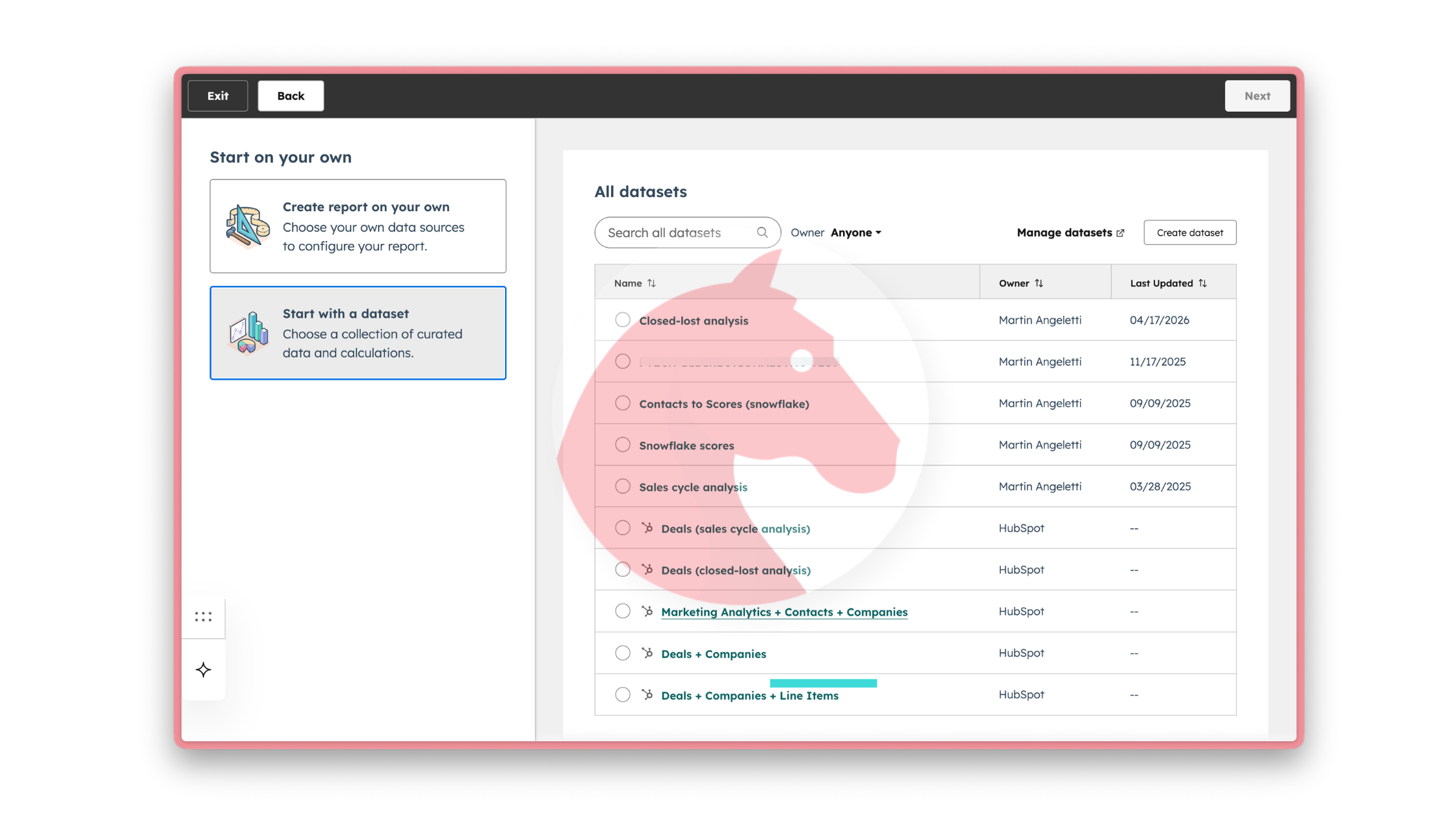
Instead of asking every user to navigate the full complexity of your CRM, they allow you to define a structured, curated version of your data—specifically designed for analysis.
In simple terms, datasets sit between your raw CRM and your reports. Or in easier terms, is a (smaller) set of your data.
They allow you to decide, in advance, what data should be available, how it should be connected, and what should be left out. The result is not just cleaner reports, but a completely different experience when building them.
That simplification is not cosmetic. It changes who in the organization can actually work with data and how.
From CRM complexity to clarity
Most HubSpot portals are not designed—they evolve.
What starts as a clean structure becomes layered over time. Marketing adds segmentation logic, sales introduces new deal properties, operations builds workflows, and external tools enrich records. Each decision makes sense in isolation, but together they create a system that is rich, yet difficult to navigate.
Datasets allow you to step back and redesign how that data is presented.
Instead of exposing every property and every relationship, you create a version of the data that reflects how the business should be analyzed. Not how it was built, but how it should be understood.
This is a subtle but important shift. You move from managing data to shaping how it is interpreted.
It’s the same broader shift we’re seeing across marketing and growth: as systems become more powerful, structure becomes more important than ever.
What this looks like in practice: marketing, sales, and customer success
The easiest way to understand the value of datasets is not through features, but through how different teams actually use them.
Because each team doesn’t struggle with data in general—they struggle with their specific version of it.
And datasets allow you to meet each team exactly where they are.
Marketing teams, for example, often try to answer a deceptively simple question: which efforts are actually driving revenue. To get there, they need to connect campaigns, lifecycle stages, deals, and engagement data. Without structure, this becomes a manual and error-prone process every time a report is built.
With a dataset, that logic is already defined. The relationship between contacts and deals is clear, only the relevant properties are exposed, and the dataset reflects how performance should be measured. What changes is not just speed, but confidence. The conversation shifts from building reports to acting on them.
For sales teams, the need is different. Their focus is not attribution but execution. They need to understand pipeline health, deal progression, and where to focus their time. But in many portals, even identifying stalled deals requires navigating multiple properties and views.
A dataset designed for pipeline analysis removes that friction. It brings together deal stages, activity data, and key qualification signals into a single, consistent view. This allows sales leaders to quickly identify bottlenecks, understand performance by segment, and align the team around a shared version of reality.
Customer success teams operate in an even more complex environment. Customer health is rarely captured in a single place. It’s distributed across tickets, engagement history, renewal dates, and sometimes external product data. Without structure, early signals of risk are easy to miss.
Datasets allow these signals to be unified. By combining support activity, engagement, and renewal context into one structured view, teams can move from reactive reporting to proactive management. Instead of asking what happened, they can start identifying where to act before it’s too late.
What’s important here is that all three teams are working from the same CRM. The difference is not the data—it’s how that data is structured and presented.
The evolving role of the Super Admin
For Super Admins, this changes the nature of the role.
With datasets, the Super Admin defines what is visible, what is relevant, and what becomes the source of truth for reporting. You’re not just supporting teams anymore—you’re shaping how decisions are made across the organization.
That’s a very different level of responsibility.
👉A real-world example is when working on a portal with a long history; it is common for there to be old properties or obsolete objects. By using datasets, we can exclude these so that teams do not take them into account when creating reports. This helps to avoid confusion.
Recognizing the moment you need Datasets
Not every company needs datasets from day one. But there is usually a moment when their absence becomes obvious.
It often shows up subtly. Reports start to differ depending on who builds them. Teams rely on a few key people to extract insights. Simple questions take longer to answer. Confidence in the data starts to erode, even if the data itself is technically correct.
That’s the signal.
It’s not a tooling issue. It’s a structure issue.
And that’s when datasets stop being an advanced feature and become necessary infrastructure.
*Data Studio / datasets are available on Professional and Enterprise, including Professional Customer Platform, Enterprise Customer Platform, Data Hub Professional, and Data Hub Enterprise.
Handy tools you get from Datasets
At this point we 've stablished why Datasets are important and when to start using them. But what else can we get from them?
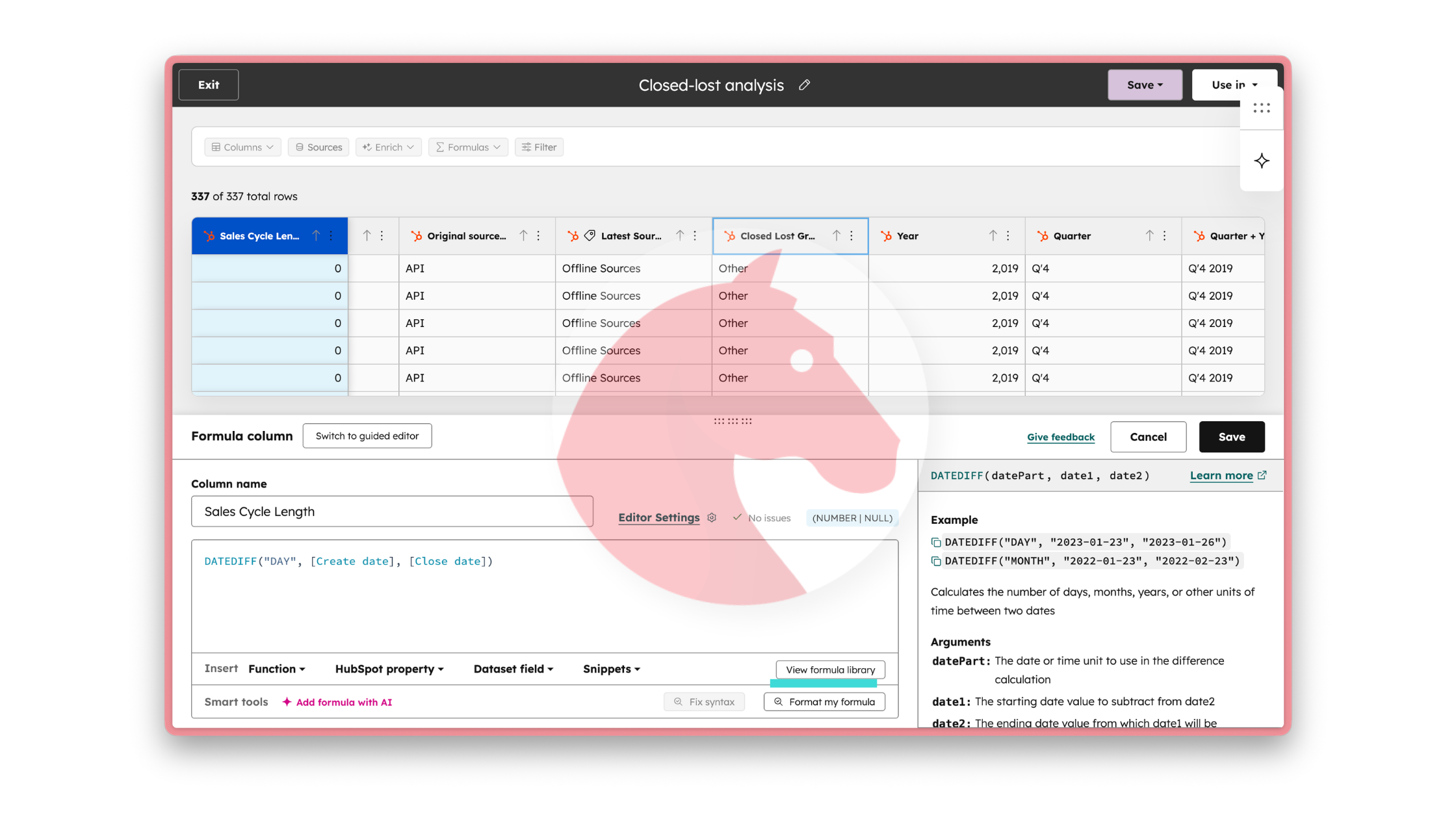
Advance formulas: This has been a recent update in reports but reality is that formulas in Datasets are more advance. You can more options of the type of calculations (and even custom ones) that you can do from your data.
Add new info without properties: whatever calculation you are doing you can easily add it into a new column of your dataset without the need of creating a new property to store it (unless you want to).
Use datasets in workflow enrollment triggers: After creating a dataset, you can use the dataset as a trigger to enroll all objects from the dataset into the workflow. This is one superpower that datasets have and that may simplify your complex enrollments that cannot be solved with segments.
Row-level formulas: we can execute row-level operations and make calculations across a single record. The formula result displays one value per row, and all context for the calculation exists at a row level.
Summary formulas: we can execute multi-row data operations and calculate metrics across multiple records. The formula result displays one value per row, but the context for the calculation may contain more than one row of data.
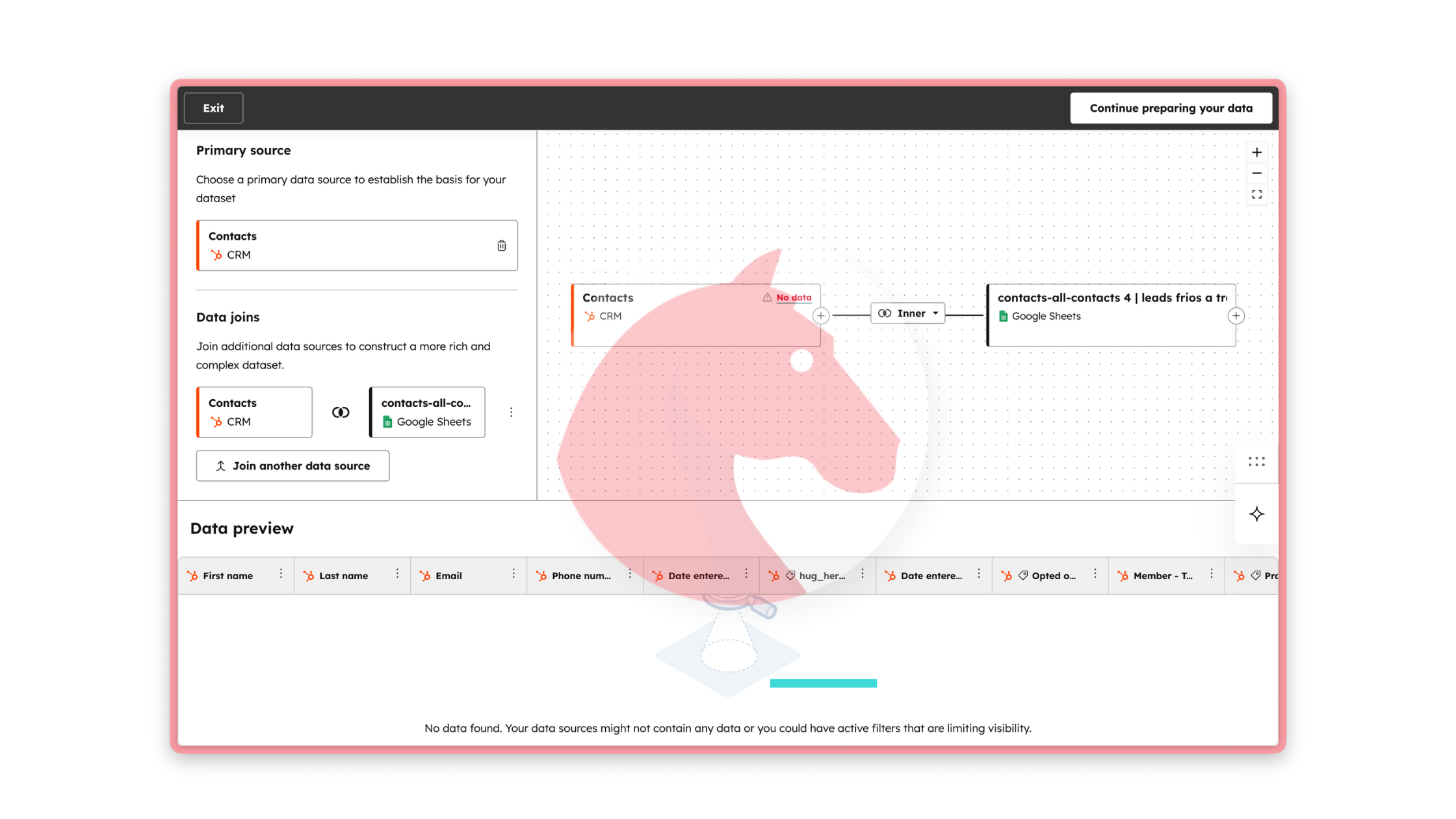
Use data join in datasets: Use data join (Data Hub) to combine different data sources (outside HubSpot), create new information, enrich your dataset and customize reports using powerful data views. (We will talk about this on our next blog post).
Enrich data from your dataset: Once you have built your dataset you can choose to enrich contact or company data directly for those specific records. This has made enrichment so much easier and accurate around the most important records we need to report on.
Want to get your hands into Datasets?
Datasets will help you prepare your data to use it in a more meaningful way. It combines your most important sources of data to create custom reports.
But that is not the only thing that you can do with Data Hub. If you are curious about this or want to discuss your potential use, reach out and we'll guide you gladly.